11 / AI product
Digital Director AI.
The problem
A political campaign manager has a marketing job most businesses never face. The audience is every kind of voter, the issues change by week, and the whole effort has a hard end date. Digital ads were a major way to reach people, but running them well meant guessing which message suited which group, then checking numbers in a separate ad manager.
The people doing this were rarely at a desk. Campaign managers worked from phones between events, and many had no marketing background or analyst to lean on. A dense ad dashboard would have been ignored. Time was the other constraint: a post that was not working on Tuesday needed to be replaced on Tuesday, because the chance to reach those voters kept shrinking.
The product had to tell a busy person what was working, what to try next and what it would cost, in a few taps.
The approach
I started by learning how a campaign manager's day really ran, then designed the product around the decisions they made on a phone.
- 01
Learning the campaign day
I began with research into how campaign managers worked: what they checked, when, and what they handed to a consultant. Three things stood out. They wanted a read on performance in seconds, they did not speak ad-platform jargon, and they decided on budget by feel. That set the rule for the product: plain words, one number at a time, and a recommendation attached.
- 02
Mapping the screens
Before drawing any screens I made a map of the whole product on one page. Home sits in the middle, with insights, polls, voters, search and the user profile branching off it. The longest path is a new poll: choose, target audiences, budget, review, confirm. Seeing that on one page let me cut screens before they existed.
Screen map. - 03
Early screens in light blue
I drew the first screens in a flat light blue with grey image boxes, so the conversation stayed on structure. They covered the splash, channels with their numbers, the list of voter segments with a completion ring on each, segment details with popular content, and settings. Colors and photography came only after the layout held up.
Early screens. - 04
A home screen that ranks posts
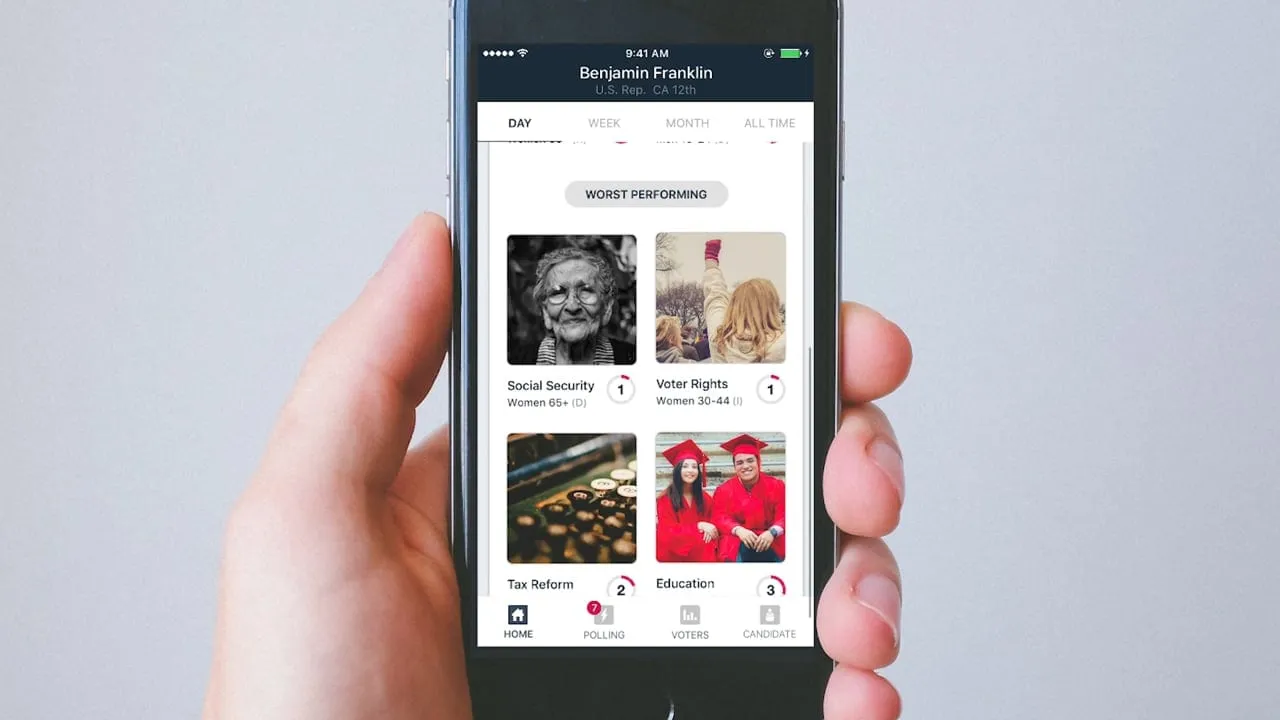
The home screen opens with three campaign numbers on a dark header, then a day, week, month and all time switch. Below that, the highest performing posts come first, each with a score ring and audience tags. I put the score on the post itself so a manager could judge a post without opening a chart.
Campaign dashboard. - 05
Insights that suggest an action
The insights list reads like a short feed of advice. Each row has a colored icon for its type, the issue it concerns and a one-line instruction such as keep boosting or try targeting people who like your page. I wrote the tone to be encouraging and direct, because the reader was often tired.
Insights. - 06
Audiences, budgets and previews
Choosing who sees a post became a three-step flow. Each audience shows its voter count with a stepper to set how much to spend, and the selected rows are highlighted. Before anything goes out, a post preview shows how it will look as an ad, so the manager can catch a wrong image or line first.
Choosing target audiences.
The solution
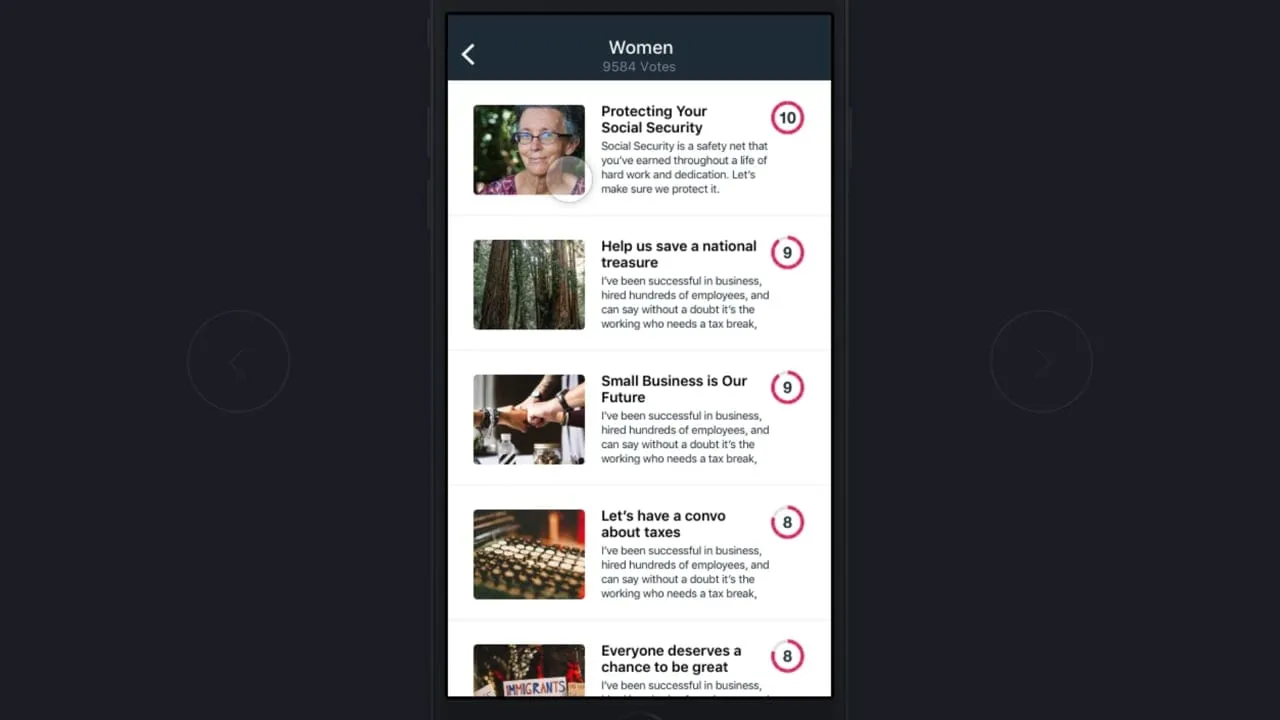
Digital Director is a phone app with a web presence. A campaign manager sees performance on a home screen, gets insights that suggest an action, picks posts to test, chooses voter audiences and a budget for each, and previews the post before it goes live. A voter segments view shows each group, how far along it is and what content works for it.
The design idea was to put the decision next to the number. A score on a post, a recommendation beside an insight and a cost beside an audience meant a manager never had to translate a statistic into a choice. I also gave the product its brand and a marketing site, so the pitch and the product used the same words.
What I delivered
- User research and a one-page screen map
- Early and final mobile screens
- Campaign dashboard, insights and audience and budget flow
- Brand identity and marketing site
- Motion graphics and demo videos
See it working
Value added
For people using it
A campaign manager could check how things were going, act on a suggestion and set a budget from a phone. The product spoke in plain language and showed what a post would look like before it ran.
For the business
The product gave a small company a clear story about automation, AI and mobility for campaigns. A consistent brand, site and demo videos made it easier to explain to prospective customers.
For the team
The screen map and the named, numbered screens gave engineering one list to build from. Questions about where a flow went could be answered by pointing at the map.
The result
Digital Director shipped and was in use, with a dashboard, audience tools, post testing and a marketing site.
What I took from it
Mapping every screen on one page first kept the product small, because extra screens were easy to spot. Next time I would put the recommendation wording in front of a few more campaign managers earlier, since the advice copy did as much work as the layout.